Most cookie banners change nothing. This one actually blocks the trackers.
StoryNova Cookie Consent holds analytics, pixels and embeds until the visitor agrees, sets Google Consent Mode v2 before any tag fires, and keeps a log that proves who consented to what. No account, no monthly fee, nothing phones home.
Works with page caching, Tag Manager, Elementor and WooCommerce. Keyboard and screen-reader accessible.
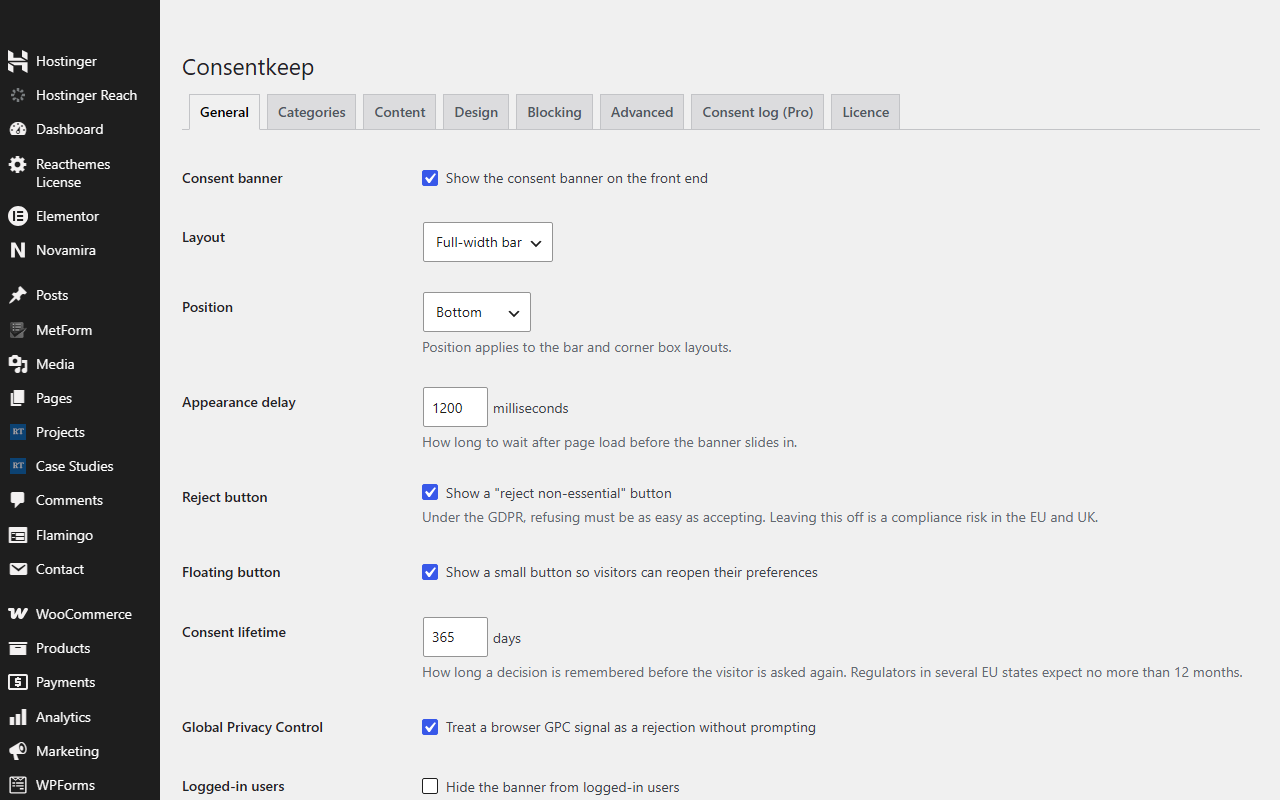
Three things a regulator checks. Three things this does.
Recording a click is not consent management. StoryNova Cookie Consent does the part that most banner plugins skip.
Nothing loads before consent
Scripts and iframes matching your rules are held, including ones Tag Manager injects at runtime. Embeds show a placeholder with a one-click "load this". Starter rules cover GA, GTM, Meta, Hotjar, Clarity, LinkedIn, TikTok, YouTube, Vimeo and Maps.
Google Consent Mode v2, done right
Denied defaults at the very top of the page, updated the instant a visitor chooses, with ads data redaction and URL passthrough options. A dataLayer event fires on every change for your GTM triggers.
A consent log you can hand over
Pro records every decision with a salted IP hash, the policy revision and the categories granted, and exports it to CSV. When a client or an authority asks "show me", you can.
What it can and can't do
StoryNova Cookie Consent is the mechanism, not the law. You still need an accurate cookie policy, a lawful basis for what you run, and consent-based triggers on non-Google tags inside Tag Manager. The plugin blocks what it can see in the page; a server-side integration that fires on its own is outside any browser plugin's reach. We say this here so nobody finds out later.
Pay once, or pay yearly. Never both.
Complianz Premium is $59 a year for one site and $399 a year for 25. CookieYes starts at $100 a year. StoryNova Cookie Consent is a one-time payment for the sites you choose.
Free
- Banner, preferences modal, floating button
- Google Consent Mode v2
- Script and embed blocking with starter rules
- Global Privacy Control, revision counter, full design control
GPL. Also on WordPress.org.
Pro
- Everything in Free, plus a small Pro add-on you install next to it
- Consent log: who agreed to what, when, under which revision
- CSV export for auditors, clients and DPA requests
- Licence for 2, 10 or unlimited sites, every future update
- Priority email support
30-day refund, no questions asked. Terms.
Free against free
Paid against paid
Questions people ask
How do I install Pro?
Keep the free plugin installed and upload the StoryNova Cookie Consent Pro add-on from your purchase email, then paste your licence key on its Pro tab. The free plugin never expires and never locks anything; Pro only adds features.
Does it work with my caching plugin?
Yes. Every visitor gets identical markup and the decision is read in the browser, so nothing varies per user at the PHP level.
Does it work with Google Tag Manager?
Yes. Consent Mode defaults are set before the container loads and an event is pushed on every change. Non-Google tags in your container still need consent triggers, which the blocking rules back up.
Is the consent log personal data?
IPs are stored as a salted hash, so the log holds no directly identifying data. Records are pruned after three years.
Will it slow the site down?
The inline head script is a few kilobytes and there are no external requests. Most sites see no measurable change.
How do I install it?
Download the zip, then in WordPress go to Plugins → Add New → Upload Plugin, choose the zip and click Install, then Activate. Pro features switch on when you paste your licence key on the plugin's Licence tab. No FTP and no build step. Updates arrive through the normal WordPress plugin updater.